How to Use a Moon Live Tracker: Altitude, Azimuth, Distance & Moonrise
Learn how to read Moon altitude, azimuth, distance, moonrise and moonset so you know exactly where and when to look.
If you want to know where the Moon is in your sky right now, a live Moon tracker is more useful than a simple phase calendar. The Moon’s phase tells you how much of its visible disk is illuminated, but a tracker adds the local observing information you actually need: altitude, azimuth, distance, moonrise, moonset and the next major lunar event. On SpaceTracker.live, these values are calculated for the time and location you select, so the page becomes a practical observing dashboard rather than a static astronomy table.
A Moon tracker becomes more useful when its values are read together. Altitude and azimuth tell you where to look, rise and set times describe the local observing window, and phase explains the illuminated appearance. Use the selected location and time as the reference for all of those values.
Start with altitude: how high is the Moon?
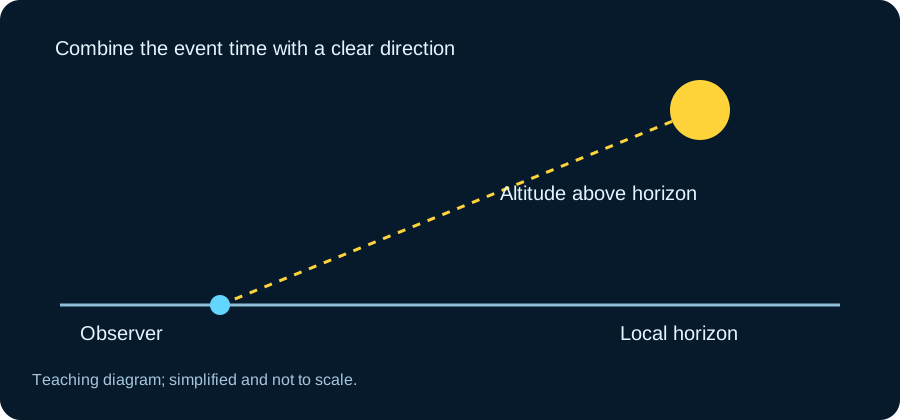
Altitude is the Moon’s angle above the horizon. An altitude near 0° means the Moon is close to rising or setting, while 90° would place it directly overhead. For casual observing, a higher altitude is usually easier because buildings, trees, haze and atmospheric distortion have less effect. Open the Moon Live Tracker and compare the altitude with your real horizon before going outside.
Use azimuth to know which direction to face
Azimuth describes direction around the horizon, measured in degrees. Roughly speaking, 0° is north, 90° east, 180° south and 270° west. If the tracker shows an azimuth of about 110°, for example, look toward the east-southeast. Altitude and azimuth together give you a simple sky coordinate that is much more useful than a generic statement such as “the Moon is visible tonight.”
Why Moon distance changes
The Moon does not orbit Earth in a perfect circle, so its distance varies during the month. NASA gives the Moon’s average distance as about 384,000 kilometers, but the live value can be noticeably smaller or larger. Distance is interesting because it helps explain why some full Moons appear slightly larger than others. It is also a useful reminder that “Moon position” is three-dimensional, not just a direction in the sky.
Moonrise and moonset are local
Moonrise and moonset depend strongly on your location and date. That is why a time copied from another city can be misleading. Use the Moonrise & Moonset Time tool for your location, then compare it with the Moon Phase Tonight page if you are planning an evening observation. The U.S. Naval Observatory also publishes location-based rise and set data, which is a useful authoritative reference.
Phase and position answer different questions
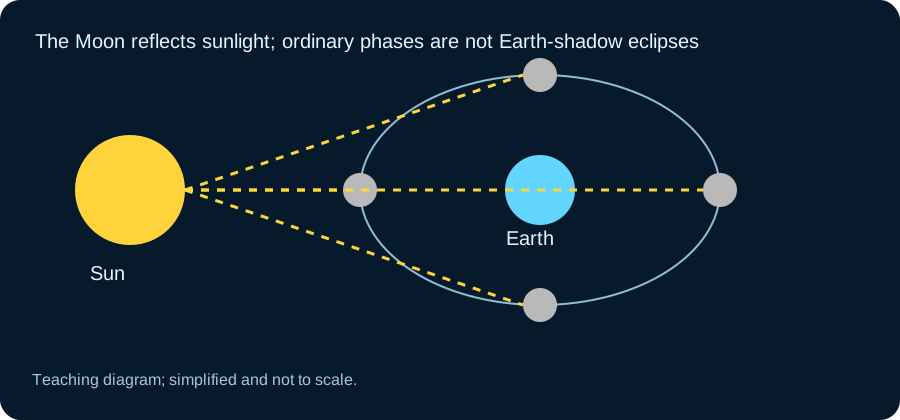
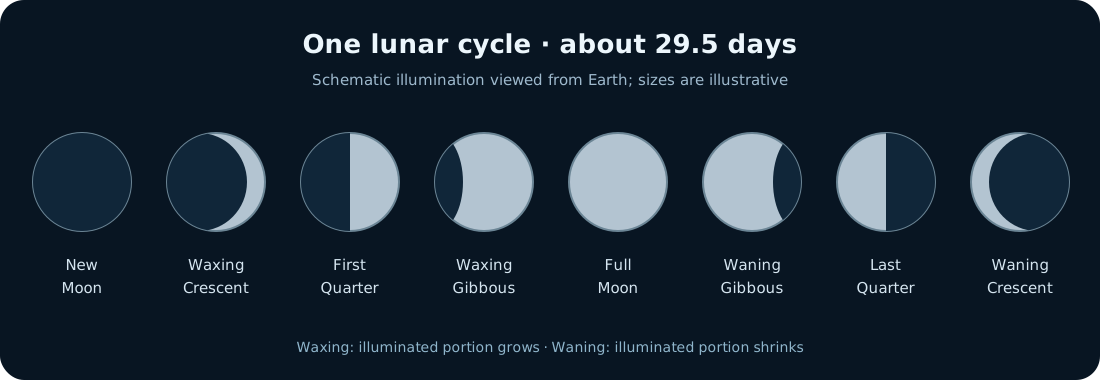
The Moon Phase Today page answers “what phase is the Moon in?” while the live tracker answers “where should I look?” NASA explains that the familiar phase cycle repeats in about 29.5 days as the viewing geometry between the Sun, Earth and Moon changes. For a full-Moon check, use Full Moon Tonight; for the upcoming date and countdown, use Next Full Moon.
A quick observing routine
- Set or confirm your location.
- Check altitude to see whether the Moon is comfortably above the horizon.
- Use azimuth to choose the correct direction.
- Check moonrise or moonset if the Moon is still below the horizon or close to setting.
- Review the phase and illumination before deciding whether you want a bright full-Moon view or a more shadowed lunar surface.
Read a negative altitude correctly
A negative altitude normally means the Moon's centre is below the reference horizon used by the calculation. It does not mean the tracker has failed to load. Close to the horizon, atmospheric refraction and the finite size of the lunar disk complicate the exact appearance of rising or setting. Use the tool's stated convention rather than assuming every zero crossing corresponds to the first visible edge.
Your local landscape adds another complication. A hill or building can hide the Moon after it is geometrically above the horizon. For a moonrise photograph, scout a clear direction beforehand and leave some timing flexibility. The calculator supplies the astronomical geometry; it cannot know every tree on your skyline. Recording the obstruction helps you choose a better position rather than repeatedly treating the same blocked view as a prediction error.
Distance changes, but the Moon does not suddenly grow
The Moon's orbit is not a perfect circle, so its distance and apparent angular size vary. A photograph can also change dramatically because of focal length, cropping and the foreground. When comparing images, keep those camera choices separate from the astronomical change. A large Moon in one picture is not evidence that the tracker distance fell by the same proportion.
Read the units beside the distance value. Earth-centred and observer-centred distances are related but not identical, and different pages may use different definitions. For a casual session, the trend is often more useful than excessive attention to the final digit. Pair it with a timestamp and the tool's explanation before comparing two sources. Clear definitions make a rounded number more useful than an apparently precise value with no reference.
Turn the live values into a short observing plan
Pick a time when the Moon is comfortably above your usable horizon. Note its compass direction and decide where you can stand with an unobstructed view. For surface detail, consider a phase that gives useful shadows near the terminator. For a landscape scene, a lower altitude may suit the composition even though haze can reduce clarity.
Check again shortly before going outside because the direction and altitude continue to change. Keep your selected location consistent across the Moon and Sun pages when comparing moonrise with sunset. Afterward, record whether the predicted direction matched the view and what affected it. This small routine connects phase, position and the real landscape without treating a sky illustration as a camera feed or a guarantee of clear weather.
Frequently asked questions
Does a Moon tracker show the exact position?
It provides an astronomical calculation for the selected observer, date and time. Small differences can occur because of location accuracy, local horizon obstructions and calculation assumptions.
Why does the Moon move across the tracker during the night?
Earth’s rotation changes the Moon’s apparent position across your local sky, while the Moon is also moving along its orbit.