See tonight’s Moon phase and illumination, then check where to look at 9 PM using your selected observing location.
LIVE LUNAR DATA
Calculating the Moon…
Your browser is calculating the current lunar geometry.
TONIGHT · 9 PM
Moon phase
Illumination
—Calculating…
Phase——
Illuminated—visible disk
Lunar age—of 29.53 days
Distance—from Earth
PLAN YOUR EVENING
Where can I see the Moon tonight?
The phase above refers to 9 PM in the observing-location timezone, with device-time fallback when needed.
Use the Moon sky map below to check direction and height above your horizon. A bright Moon can still be below the horizon.
Calculated sky position does not include clouds, buildings or terrain. A low Moon may be obstructed.
MOON THROUGH THE WEEK
Seven days of Moon phases
Daily phase and illumination estimates at your local noon. Compare each day’s appearance; the live sky map below continues to show your current observing time.
The Moon images use NASA LRO near-side imagery with a schematic phase shadow. Phase timing is approximate; for exact quarter and Full Moon instants, use the USNO-based Full Moon Calendar.
TODAY
Moon details
Phase—
Illumination—
Lunar age—
Times are shown in your browser’s local timezone unless marked UTC.
MOON EXPLORER · LIVE SKY + GLOBAL ATLAS
Explore the Moon from Earth and up close
Follow the Moon across your local sky, then explore its complete surface and Apollo landing sites.
Astronomy calculations · NASA surface data
YOUR LOCAL HORIZON
Where is the Moon in your sky?
Position is calculated in your browser from your saved location and selected local time.
Using saved observer location
15-minute steps · calculated for the selected date and location
Moon position Today's visible pathHorizon = outer circle
The sky dome shows geometric position and the calculated horizon crossing. It does not include clouds, terrain, buildings or local light pollution.
GLOBAL LUNAR ATLAS
Explore the Moon's complete surface
Tap a blue crater marker for its measured diameter and story; gold markers identify Apollo landing sites. Click elsewhere for approximate coordinates.
FAR SIDENEAR SIDEFAR SIDE
Moon surface image is unavailable.Try reopening this map after the local surface asset finishes loading.Open NASA map resource ↗
Click map to read coordinates 100%
MAP COORDINATESSelect a crater or landing site
Longitude and latitude are shown in the lunar coordinate reference used by the map.
Select a name to locate it on the global NASA surface mosaic. Diameters and center coordinates come from the USGS/IAU Gazetteer; the blue markers identify approximate crater centers. Map markers show reference locations and do not predict illumination or visibility tonight.
“Moon phase tonight” uses 9:00 p.m. in your browser’s local timezone as a convenient evening reference, while moonrise and moonset calculations use your observing coordinates.
If your local evening has already passed, the page still shows the phase for tonight’s 9:00 p.m. timestamp and the next full moon date.
Moon Phase Tonight: Planning an Evening View with Phase, Illumination and Local Timing
Moon Phase Tonight is designed around a practical observing question: what should the Moon look like during your local evening? The tool uses 9:00 p.m. in your browser’s local timezone as a consistent evening reference and combines that phase estimate with local moonrise, moonset and sky-position information.
Why use an evening reference time?
The Moon’s phase changes continuously, but only very slightly over a few hours. Choosing a consistent 9:00 p.m. local reference makes the page easy to interpret for evening planning without pretending that the Moon suddenly changes phase at a particular clock time. If 9:00 p.m. has already passed, the tool still describes that evening reference for the local date.
Phase does not tell you whether the Moon is visible
A beautifully illuminated Moon can still be below your horizon at 9:00 p.m. Moonrise and moonset depend on your location and on where the Moon is in its orbit. Use the location controls and check the local rise/set values, or open Moon Live Tracker to see current altitude and azimuth.
What different phases mean for evening observing
A waxing crescent is usually an early-evening object after New Moon. First Quarter places a roughly half-lit Moon prominently in the evening sky. Waxing gibbous phases remain visible for longer and lead toward Full Moon. After Full Moon, the waning Moon rises progressively later, so a waning crescent is more naturally associated with the pre-dawn sky than the early evening.
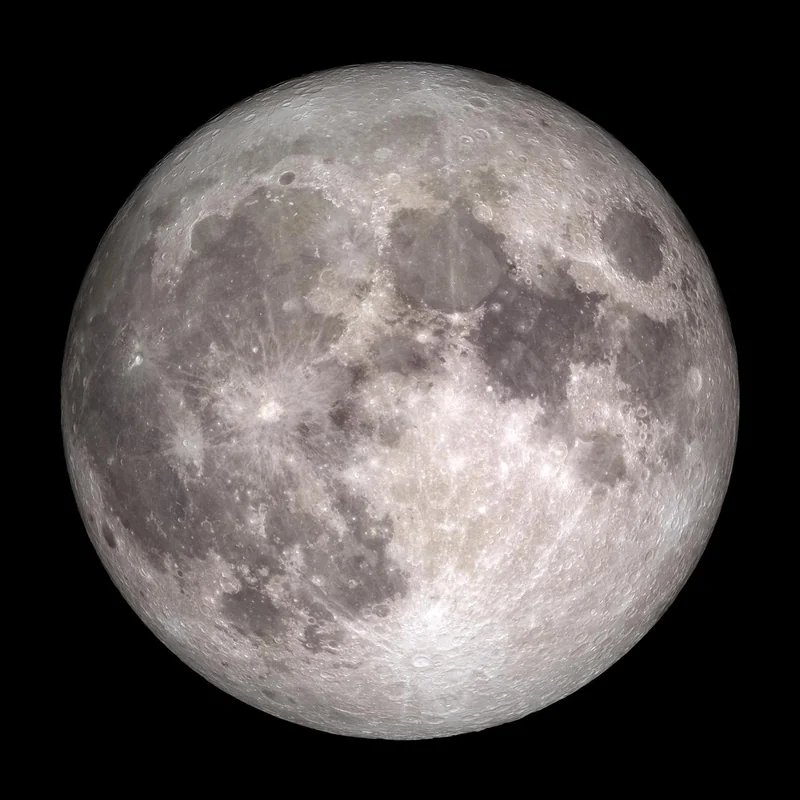
Full Moon reference view from NASA. This photograph is educational reference imagery, not the current live phase. NASA source.
These are general patterns rather than fixed clock schedules. Season, latitude and the Moon’s changing declination can noticeably alter the exact rise and set times.
Illumination versus visual detail
More illumination does not always mean more interesting telescopic detail. Around quarter phases and crescents, the boundary between lunar day and night—the terminator—casts long shadows across craters and mountains. Near Full Moon, illumination is strong but shadows are shorter across much of the visible disk, which can make surface relief look flatter.
What to check before going outside
Start with the tonight phase and illumination, then check moonrise and moonset. If the Moon is up, use altitude and azimuth to decide where to look and whether buildings or trees may block the view. Weather and cloud cover are not supplied by this Moon tool, so local conditions still need to be checked separately.
For the current instant rather than the evening reference, use Moon Phase Today. For the next full-phase event and countdown, use Next Full Moon. If the phase is near Full Moon and you are checking for an eclipse, open Lunar Eclipse Tonight.
How the calculation should be interpreted
SpaceTracker.live uses compact browser-side astronomy formulae for lunar position and illumination. The results are intended for general education and observing preparation. Your device timezone determines what “9:00 p.m. tonight” means, and the saved observer coordinates determine local rise/set and sky geometry. Professional observatories and precision applications should use high-accuracy ephemerides.
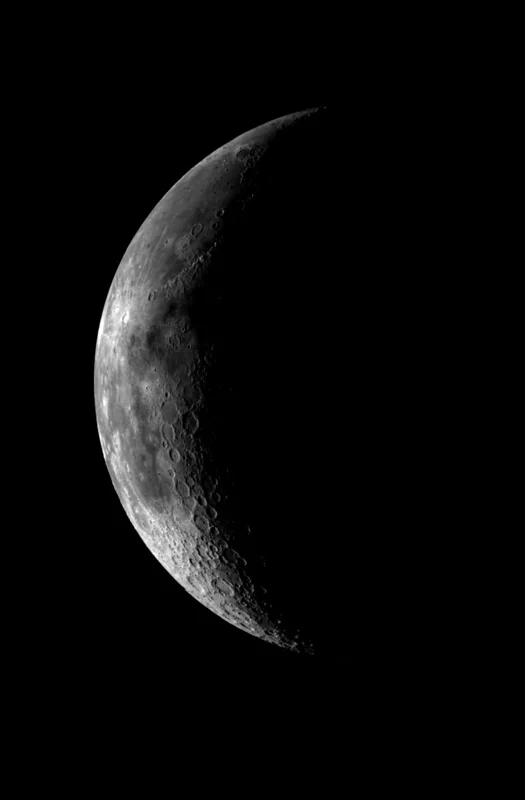
NASA/JPL Galileo view of the western near side, showing lunar surface features. This is a reference photograph, not a live observation. NASA source.
Loading the lunar phase sequence…
NASA Lunar Reconnaissance Orbiter near-side surface texture with calculated schematic phase shadows. These are real lunar surface details, arranged as a teaching sequence rather than dated spacecraft photographs. NASA explains the phase geometry.
Set an evening target, then check where the Moon is
A tonight forecast samples the Moon around a representative local evening time, whereas the current phase on Moon Phase Today reflects this moment. On most nights the two values are close, but the Moon continues to move and illuminate differently as time passes. If you observe before sunset or near dawn, use the live position tool and check Moonrise and Moonset to avoid assuming the Moon remains above your horizon throughout the night.
To photograph lunar terrain, a terminator near First or Last Quarter can make crater shadows stand out. To observe faint galaxies or meteors, aim for a darker interval when a bright Moon is below the horizon. The stargazing planner helps compare the available dark hours. NASA's Moon phase guide explains why the visible lit portion changes.
When tonight means different calendar dates
A world-wide phase event occurs once at a particular instant, yet local clocks assign it different dates. If you need the exact upcoming Full Moon instant instead of a visual phase estimate, consult Next Full Moon or the official-time yearly list. Tonight's chart is for practical observation; the live Moon visualization uses a schematic phase shadow over NASA LRO near-side imagery, not a live photo of this exact evening.
Tonight’s phase and crater contrast
A phase estimate suggests the overall lighting, but the exact view of an individual crater changes as the Sun–Moon angle evolves. Use the Moon surface map to locate Archimedes (81.04 km) and nearby Aristillus (54.37 km) in Mare Imbrium. The site presents their fixed coordinates and sizes from the USGS/IAU Gazetteer; the live tracker helps determine whether the Moon is above your horizon tonight.
Frequently asked questions
Why does the page use 9:00 p.m.?
It is a practical, consistent local-evening reference rather than a special astronomical boundary.
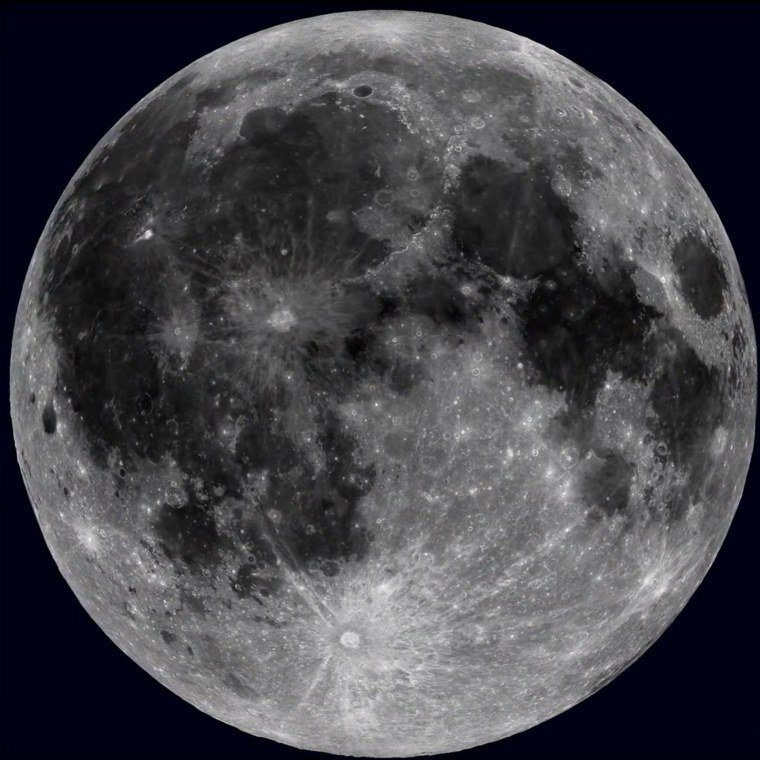
NASA/Goddard/Arizona State University: LRO near-side surface reference. Dark maria and bright crater rays help explain what observers see on the Moon. NASA source.Will the phase be very different at midnight?
Usually not dramatically; the phase evolves continuously over the roughly 29.5-day synodic cycle.
Why is a waning crescent often not visible in the evening?
Late waning phases generally rise in the early-morning hours and are better placed before sunrise.
Does the tool include cloud cover?
No. It calculates lunar astronomy; weather and local obstructions must be checked separately.
Educational-use note: SpaceTracker.live is an independent educational website. Moon positions, phases, distances and rise/set times on these tools are calculated values and can differ slightly from high-precision professional ephemerides.