
TOOL GUIDE & PASS EXPLAINER
Satellite Pass Predictions: Rise, Maximum Elevation and Set Times
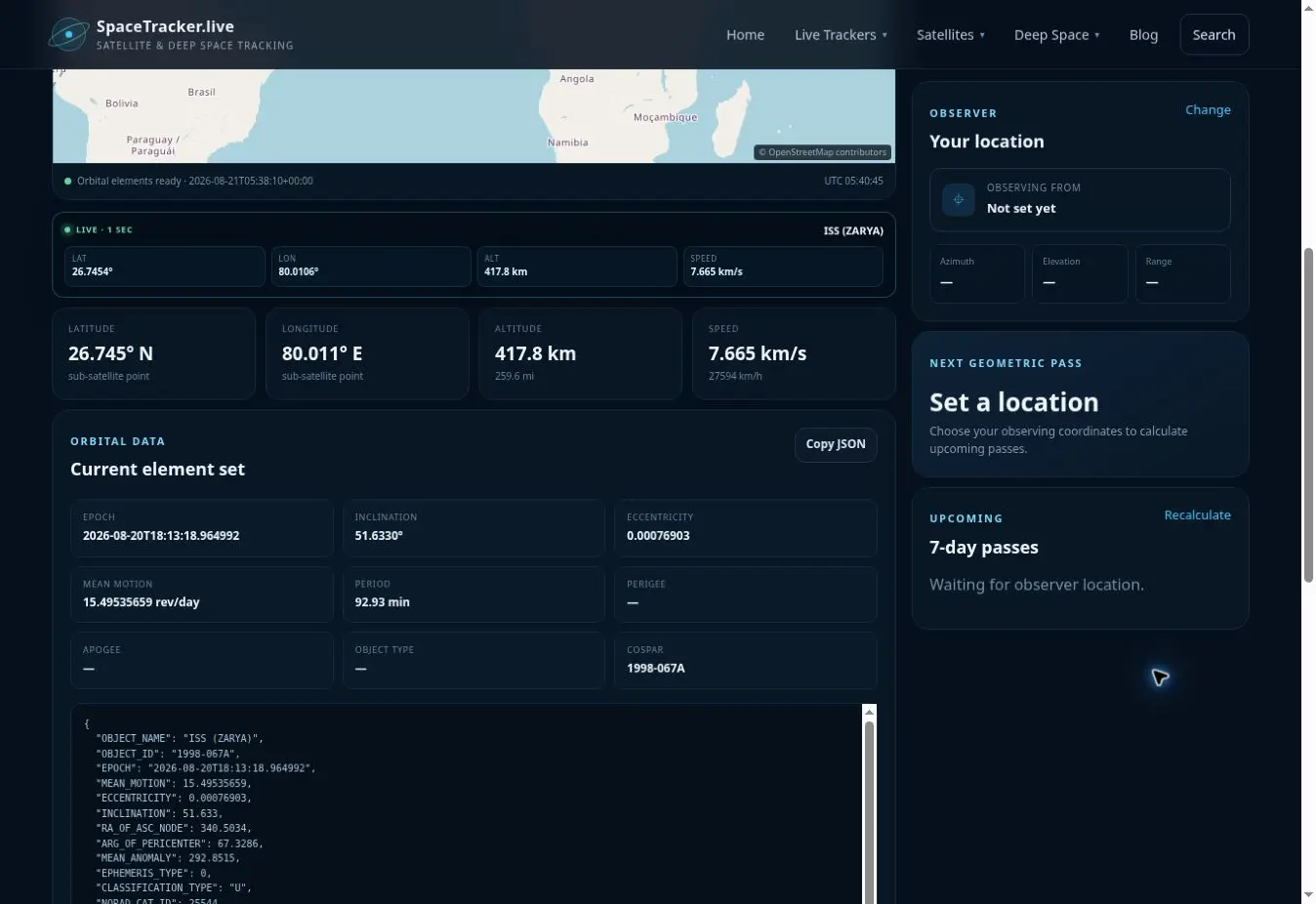
The Satellite Pass Predictions page helps you find a spacecraft first and then open its full tracker, where SpaceTracker.live calculates upcoming geometric horizon crossings for your saved observer location. A pass begins when the calculated spacecraft rises above the geometric horizon, reaches a maximum elevation, and ends when it sets below the horizon again.
The word geometric is important. The calculation tells you when the orbit places a satellite above the observer's horizon. It does not automatically mean the satellite will be bright, illuminated, transmitting, or visible through local weather.
How to find a pass
- Search by spacecraft name or NORAD catalog number.
- Open the selected satellite's live tracker.
- Set or confirm your observer location.
- Read the next-pass panel and the seven-day pass list.
- Recalculate closer to the observation time if fresh orbital elements become available.
Searching by an exact NORAD catalog number is the most reliable way to distinguish spacecraft with similar names. The Satellite Directory is another way to find an object's catalog number before opening its tracker.
Understanding the pass fields
Rise time is when the propagated line of sight first crosses the horizon. Maximum elevation is the highest angle reached during that pass. Set time is when the object crosses below the horizon. Duration is the interval between rise and set. Azimuth values indicate the directions in which the pass begins, peaks and ends.
A high maximum elevation generally means the spacecraft passes closer to the observer's overhead direction, but it is not a brightness forecast. Two passes with similar elevation can look very different depending on sunlight and the object's physical characteristics.
Geometric pass versus visible pass
A visible pass normally requires more than geometry. For many satellites, the spacecraft must be sunlit while the observer's sky is dark enough for contrast. The object must also be sufficiently bright, and clouds or haze can block it. Space stations and some large spacecraft can be conspicuous; many small satellites are difficult or impossible to see unaided.
For public ISS sighting opportunities, compare the result with an authoritative service such as NASA's Spot the Station when exact advertised visibility is important. SpaceTracker.live deliberately labels its results as geometric passes to avoid presenting a calculated horizon crossing as a guaranteed sighting.
Why predicted times can move
Pass calculations depend on the orbital element set used as the starting condition. Drag, manoeuvres, station reboosts and normal propagation uncertainty can cause future predictions to change. A prediction several days ahead should therefore be treated as planning information, not an immutable schedule.
Your device clock and observer coordinates also matter. A wrong time zone does not change UTC orbital mechanics, but local display interpretation can be confusing if the device time is wrong. A location error changes azimuth, elevation and rise/set times directly.
Plan an observation
Start with the Satellites Above Me tool if you want to know what is in the sky right now. Use Most Tracked Spacecraft for quick access to familiar missions, or browse all satellite categories when you want to explore a particular constellation or mission type.
Frequently asked questions
Is every geometric pass visible?
No. A geometric pass only means the spacecraft is above the calculated horizon.
Why can tomorrow's time differ later?
New orbital elements and real spacecraft manoeuvres can change the propagated path. Recalculate nearer to the event.
What does 90° elevation mean?
It means the spacecraft is calculated to be directly overhead. Zero degrees is the geometric horizon.
Can I use these times for safety-critical operations?
No. They are educational predictions and are not suitable for navigation, collision avoidance or operational commanding.
Sources and further reading
Educational-use note: SpaceTracker.live is an independent educational website. Positions and pass predictions are calculated from third-party orbital elements or ephemerides and may be delayed or approximate. Do not use them for navigation, collision avoidance or other safety-critical decisions.