
How to Read a Rocket Launch Schedule and Watch a Launch
Read rocket launch schedules, local times, launch windows and countdowns. Learn how to confirm status, handle delays and follow spacecraft after launch.
A rocket-launch schedule changes more often than an ordinary appointment book. Weather, technical readiness, the launch range and mission requirements can move an event shortly before liftoff. The useful question is not only 'what time is the next launch?' but 'how firm is that time, where is the event, and what should I check before watching?' Start with Rocket Launches for the upcoming list.
The site uses a schedule provider rather than direct launch-control telemetry. Treat a countdown as a display of the current scheduled time. For a NASA event, confirm details through NASA's launch schedule; for another operator, follow that operator's official announcement. The schedule helps you find an event, while the mission source confirms its latest status.
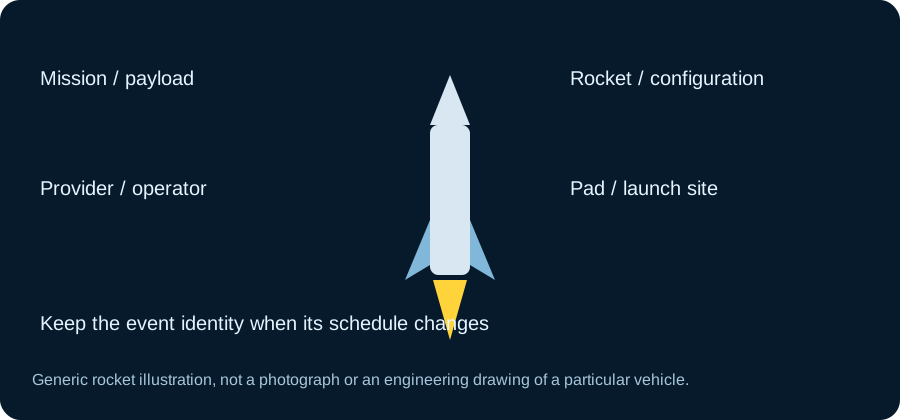
Read the mission identity before the clock Check the mission name, rocket, provider and launch site. Similar vehicles can fly unrelated missions from different locations, and a reused programme name can appear across several events. The event details tell you which launch you are actually watching. A dramatic photograph on a card is useful illustration, but it does not identify the live status of the mission by itself.
If you share a launch with a friend, include those details and the event link rather than only a countdown screenshot. That record remains understandable if the time changes. It also prevents confusion between a rocket launch, payload deployment and the later appearance of a spacecraft in an orbital catalog. They are connected stages, but they are not the same event.
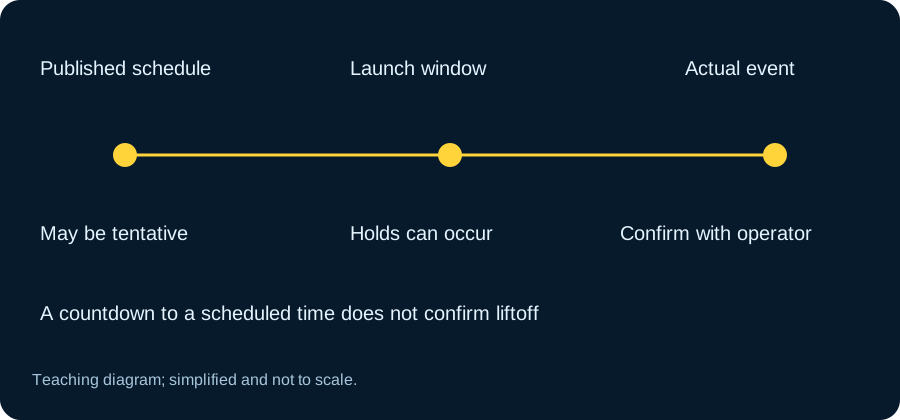
Understand a window and a target time A launch may have a window rather than a single guaranteed second. The opening of that window, a current target within it and an eventual actual liftoff can all be different values. Some missions are listed only with an approximate date or a 'no earlier than' description. Read the status labels before interpreting the countdown as precision the source does not have.
If the displayed time is tentative, keep that uncertainty in your own plan. Do not turn an estimated date into a firm invitation to watch at an exact minute. Recheck before the event and allow for a hold. A schedule can be useful while still being provisional; the important part is representing the level of certainty honestly.
Local time and launch-site time can differ The device-local display helps you know when to watch from home. The launch site may be in another time zone, and a source announcement may use UTC or local site time. Around midnight, the same event can fall on different dates in those systems. Include the time zone whenever you copy a launch time into notes or messages.
Use Rocket Launches Today according to its local-date explanation. If another website labels the event 'tomorrow', compare the time zones before assuming one schedule is wrong. A conversion changes the clock label, not the physical event. Check the device's time-zone setting if the result looks consistently shifted.
The next launch can change identity Next Rocket Launch normally highlights the earliest qualifying future event in the available feed. If that event moves, another mission can become next. A changed title does not necessarily indicate a bug; it can reflect a reordered schedule. Verify the provider and event status before drawing a conclusion.
The full Rocket Launch Schedule offers context beyond one countdown. It is particularly useful when an upcoming event is tentative or when you want several alternatives to watch. A feed has coverage and refresh limits, so an empty result should be read according to the page's message rather than as proof that no rocket anywhere can launch.
A schedule feed organises event information; its current target time is distinct from confirmation of liftoff. Read Launch Library’s official documentation when you want to check the underlying context rather than infer it from a thumbnail or summary number. Compare it with the full launch schedule for the selected question.
Provider pages narrow the list Use SpaceX Launches, NASA Launches or ISRO Launches when you want a particular programme context. Check what the page means by provider: the organisation operating the rocket and the organisation owning a mission are not always the same. A NASA payload can fly on a commercial vehicle.
For a specific programme such as Starship Launches, follow official test and launch announcements for the current status. A familiar vehicle image does not establish that a particular flight has received a final date. The filtered page helps organise events, but it cannot replace the operator's latest statement or the meaning of a tentative schedule entry.
A launch-site map is geographical context Launch Sites helps you understand where vehicles depart. It does not define a safe spectator location or provide permission to enter a facility. Public viewing access, closures and suitable observation areas need their own official information. A map marker at a pad is not an instruction to travel there.
If you plan an in-person visit, confirm local arrangements and expect schedule changes. Keep a backup plan rather than booking the whole experience around a provisional minute. Weather that looks clear from your viewpoint may still be unsuitable for some part of the launch operation. The launch decision involves conditions and requirements beyond what a spectator can judge from a photograph.
Refresh your viewing plan close to the event Check the scheduled time and status again before opening a webcast. An official stream may begin before liftoff and include holds or commentary. A countdown reaching zero on a cached page does not confirm a launch happened. Use the live broadcast or official announcement to establish the actual event.
The weekly launch list can help choose an alternative if one mission moves. Keep the expected time, mission and source together in your notes. This small routine makes the schedule useful without demanding that a constantly changing programme behave like a fixed timetable.
Distinguish a hold from a new scheduled event An official broadcast can pause a countdown while teams work through a condition. The public schedule feed may update later, so a page and broadcast can temporarily present different kinds of timing. Use the live commentary for the operational explanation rather than assuming the countdown on a separate site must advance in exactly the same way.
If a launch is scrubbed, note the newly announced opportunity rather than adding an arbitrary delay yourself. Some missions move to another day, while others remain without a confirmed new time. A saved link to the event is useful because it preserves identity through those changes. Keep the distinction between target time, current countdown state and actual liftoff. Understanding those three pieces makes launch watching less confusing without asking a schedule page to imitate launch-control instrumentation.
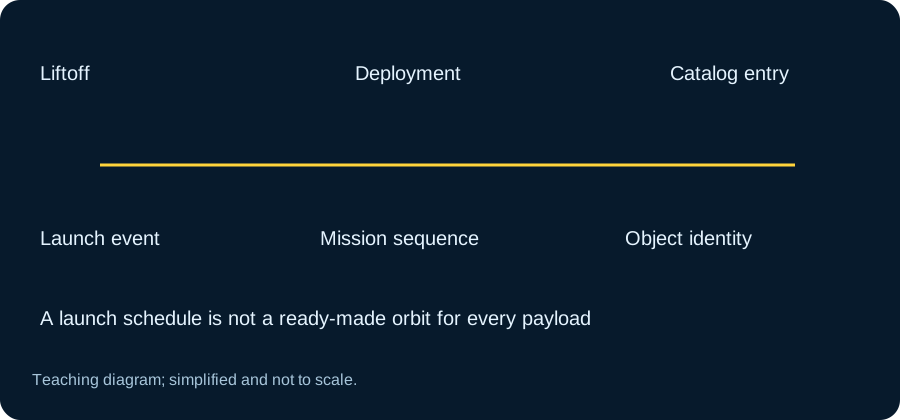
Follow the payload after launch separately After liftoff, orbital deployment and cataloging take time and have their own identifiers. A launch entry does not necessarily contain a ready-to-track orbit for every payload. Use Recently Launched Satellites or the directory when a corresponding catalog object becomes available.
For the latest schedule data context, consult The Space Devs' Launch Library documentation. For confirmed mission events, return to the operator. The rewarding workflow is straightforward: discover the launch, interpret its timing, confirm the status, watch the event, and then follow the spacecraft through the appropriate tracking tool.
A weekly list is a snapshot of available events
The schedule is built from the provider data available at the request time. A later refresh can add an event or change its position in the list. Save the mission identity with a plan rather than relying on its row number. If a time is no longer confirmed, allow the result to remain uncertain. That is better than carrying an obsolete countdown into a viewing invitation.
Continue with the full launch schedule for the selected question, and keep Launch Library’s official documentation beside the result when you need its definitions or broader context.